suara89 Mobile App
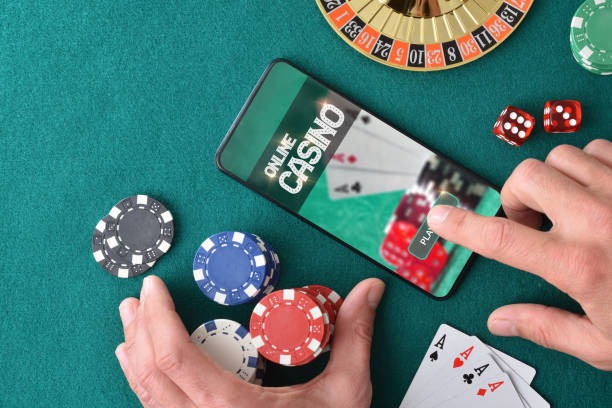
Mobile-first platforms have reshaped how users access live casino and sportsbook services. We at suara89 recognise this shift and have built our app to deliver a fast, secure, and intuitive experience across Android, iOS, and web browsers. Whether you're following Liga 1 matches, joining a live blackjack table, or managing deposits via DANA, e-wallet, or mobile banking, our app puts full functionality in your pocket.

- and
- Installin
- StartFirst Game
Our suara89 mobile experience prioritises two core needs: speed and security. Low-data streaming means live-dealer tables load smoothly even on slower connections. KYC verification, encrypted logins, and two-factor authentication keep your account and payment details protected. Push notifications alert you to match results, table openings, and withdrawal confirmations in real time.
Below, we explain how to install suara89 on your device, what each platform offers, and how to troubleshoot common setup issues. Our goal is to make accessing suara89 as simple and secure as possible, regardless of your device or location.
Download and Install suara89
We offer suara89 across three access paths: Android APK download, iOS browser access, and web application. Each method suits different preferences. Android users can install a native app; iOS users access suara89 via mobile browser or add it as a web app to their home screen; web users on desktop or tablet enjoy the full platform without installation.
Installation Steps for suara89
- Download: On Android, download the suara89 APK from our link above or your device's app manager; on iOS, visit suara89.app in Safari; on web, open suara89.app in any browser.
- Install: Android users tap the downloaded file and confirm installation (you may need to enable "Unknown Sources" in Settings first); iOS users tap "Add to Home Screen"; web users are ready immediately.
- Register: Launch suara89 and create a new account with your email, username, mobile number, and password, then verify your email address.
- Start: After email verification, you can log in, complete KYC (identity and address verification) before your first withdrawal, and begin exploring our live-dealer tables, sportsbook, and slots.

App vs. Browser: Which Path for Your Device
Our native Android app offers offline cache (so some content loads even without active connection), push notifications for table openings and withdrawal updates, faster startup, and dedicated app shortcuts. The app integrates with Android's credential manager for secure password storage. Android users in Surabaya, Bandung, Jakarta, or other regions benefit from location-aware features that respect jurisdiction restrictions.
iOS browser access delivers the same full functionality without installation. You can add suara89 to your home screen as a web app shortcut, and it behaves like a native app. Web access (desktop, tablet, or mobile browser) suits users who prefer not to install anything. All three paths use the same encrypted connection and offer identical account security.
Device Compatibility for suara89
Our Android app requires Android 7.0 or later. Most devices from the past six years meet this requirement. iOS browser access works on iOS 12.0 and later (iPhone 5S and newer). Web access works on any device with a modern browser—Chrome, Safari, Firefox, or Edge on Windows, macOS, Linux, Android, or iOS. We regularly test suara89 on the most-used device models and operating system versions across the region, including devices common in Jakarta, Medan, and Semarang.
Common Installation Issues on suara89
If you see "Unknown Sources" blocked on Android, go to Settings → Apps & Notifications → Advanced → Special App Access → Install Unknown Apps, then select your browser or file manager and enable permission. If your iOS browser shows "Cannot Load Page," clear Safari cache (Settings → Safari → Clear History and Website Data) and try again. If the APK fails to install, ensure you have at least 100 MB free storage and that your device date/time is correct. Certificate warnings on iOS are normal—tap "Continue" to proceed. If you experience persistent login issues after installation, clear your browser cache or app data, then reinstall. Our support team can assist via in-app chat or email if problems persist.
Data, Permissions, and Account Security on suara89
Our Android app requests permissions for camera (for KYC photo verification), microphone (if you enable in-app voice chat with support), location (to confirm jurisdiction eligibility), and storage (to cache game assets). We never share these permissions with third parties. All communication between your device and suara89 servers uses SSL encryption. Your password is hashed immediately upon submission and never stored in plain text. Two-factor authentication is optional but strongly recommended—enable it in account settings for an extra security layer. During KYC, your identity documents (national ID, passport) and proof of address are encrypted, stored securely, and deleted after seven years or upon account closure, whichever comes first. Our privacy policy covers all data handling in detail.
Getting Started with suara89
Once suara89 is installed and your account is created, you'll see our main menu: Live Casino, Sportsbook, Slots, and Account. Live Casino offers real-time blackjack, roulette, baccarat, and Dragon Tiger with professional dealers in multi-camera studios. Sportsbook covers Liga 1, Piala Indonesia, Piala AFF, Champions League, Premier League, badminton, and MotoGP. Slots include Aviator, Sweet Bonanza, Gates of Olympus, Fortune Tiger, and Mahjong Ways. Account settings let you manage your profile, verify identity, set withdrawal addresses, and update payment methods. We support deposits and withdrawals via mobile banking, local payment, online payment, e-wallet, mobile banking, local payment, online payment, e-wallet, mobile banking, and local payment.
Why choose the suara89 app
- Offline caching speeds up loading
- Push notifications keep you updated
- SSL encryption and two-factor authentication
- Adaptive video streaming for all networks
When web might suit better
- No installation required
- Works across all devices uniformly
- No storage space needed
Security and accessibility go hand in hand on suara89—whether you choose Android, iOS, or web, your account is protected by the same encryption and verification standards.
Support and Troubleshooting for suara89
If you encounter issues after installation, check our FAQ page or contact our support team via in-app chat or email. Common questions cover account creation, KYC verification delays, payment method setup, withdrawal processing, and game rules. We respond to support inquiries and provide step-by-step help for installation, login, and account recovery. Our services are available only in jurisdictions where online gaming is legally permitted—if you're unsure whether suara89 is available in your area, our support team can clarify jurisdiction eligibility. All your questions about the suara89 app, whether on Android, iOS, or web, are welcome, and we aim to resolve issues promptly and transparently.